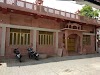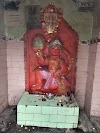

A place with shiva temple and naturally beautiful
Have you ever reached in to your pocket to pull out your phone and realised that your phone is missing? It’s that moment when that sinking feeling kicks in and you start thinking of the worst. What if the phone is stolen? Did you accidentally drop it somewhere? What happens to the data, images and contacts? Your mind starts racing hard to recall that one thought or the last moment, you’ve seen the phone. Now, it’s possible that you might just recall in time where you kept your phone or a good samaritan has kept it safely and you find it instantly after calling on it. However, there’s a strong chance that you might just never find your phone.While it’s natural to panic at such a moment, fortunately, just like Apple’s ‘Find My Phone’ feature, Android smartphones also come with ‘Find Your Phone’ function. This feature keeps track of all the places and their locations you have visited with your phone. With the help of Google Maps, you can now track the location of your device in the form of a timeline. Wondering how? Just simply follow these steps below
- Address:Jhansi, Uttar Pradesh 284003, India
- Hindu temple
Similar organizations
- Durga TempleKhati Baba, Jhansi, Uttar Pradesh 284003, India
- MaMaa Kaali TemplePulia Number. 9, Jhansi, Uttar Pradesh 284001, India
- Hanuman TempleSharandra Nagar, Hansari, Jhansi, Uttar Pradesh 284001, India
- विश्वनाथ धामShantanu Rd, Maharana Pratap Nagar, Jhansi, Uttar Pradesh 284002, India
- Shri Ganesh Mandir Ganesh Mandia JhansiPurana Sahar, Jhansi, Uttar Pradesh 284002, India
- Avas Vikas TempleAwas Vikas Colony, Jhansi, Uttar Pradesh 284003, India
- chchhote Khati Baba Ka MandirRatanpur Nagar, Nagra, Jhansi, Uttar Pradesh 284003, India
- Achrya Shree Vidyasagar Ji Sabhagar Karguan JiJhansi, Defence Colony, Karguan Gaon, Jhansi, Uttar Pradesh 284128, India
- Hanuman templeJhansi, Uttar Pradesh 284002, India
- Vaishno Mata TempleSahnibihar Colony, Sipri Bazar, Jhansi, Uttar Pradesh 284003, India